Friday, 29 November 2013

Squarissimo - Responsive Coming Soon Template

Squarissimo - Responsive Coming Soon Template


Squarissimo – Responsive Coming Soon Template

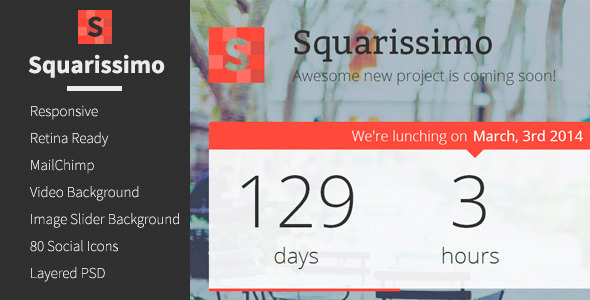
Squarissimo is a responsive, coming soon template, awesome to show for your under construction page.

Features- Responsive- Retina Ready- Video and Image Slider Backgrounds- Optional sleek dotted background overlay- MailChimp integration- Well written, documented and commented code- 80 awesome socials icons

Cascade Flat Responsive Bootstrap Admin Template

Cascade Flat Responsive Bootstrap Admin Template

Cascadeis a Light Weight, Flat , Responsive, Admin Dashboard template. It is complete set of modern standards and top notch design. Built on twitter bootstrap 3.0 with bunch of premium extended features, strong code structure underneath and handful of useful jquery plugins , all packed in one design. Months of research and years of experience all strived to make a wonderful theme with each and every useful feature for all types of applications.Performance of each module is highly optimized for different browsers and devices.

End user/client will be able to pick manually any color/styling on any element (header, main navigation, sidebar, widgets, boxes etc.,) by their own choice as our template is built on LESS and that makes this template perfect for your next project. Your users/clients will simply love it.

All future Updates are FREE


MULTIPLE FILE VERSIONS

Cascadein 2 different versions
  • PHP Version
  • HTML Version(with Front End)

KEY FEATURES

  1. Built on LESS for faster and more efficient coding.
  2. RTL Version
  3. Built on Twitter Bootstrap 3.0
  4. Unlimited Colorful Themes
  5. Menu available on leftside bar and top navbar
  6. Flexible navbar (Top, Bottom, Fixed)
  7. Full Width and Boxed Version
  8. Widgets on Right sidebar adds an extra feature
  9. Handful of Animations
  10. Flat , Clean and Responsive Admin Template
  11. Working chat Box
  12. star Rating
  13. Font Awesome Icons 4.0.3
  14. User friendly navigation through search box
  15. Retina Ready
  16. Unlimited hierarchy menu
  17. Error Pages
  18. Fully Documented
  19. Profiles with User activity and posts
  20. Enhanced Invoice, Mailbox and Pricing pages
  21. Bunch of jquery plugins
  22. Profile with Timeline, two types of recent feeds
  23. Clean Google and Vector Maps
  24. Data Tables with sorting and filtering
  25. Login,Signup,Lockscreens provided with full screen background
  26. Info Boxes with “color change” flexibility
  27. Calendar with drag, drop, click , selectable events
  28. Five different plugins for charts
  29. Live charts
  30. Form Wizard and Validations
  31. Multiple Form upload with drag & drop and upload progress
  32. Font Awesome Icons
  33. Gallery with filtering sorting with custom data tag
  34. Bunch of variations in bootstrap progressbars
  35. Notifications with two types of jquery plugins ( noty & gritter)
  36. Drag and drop, markable todo list widget
  37. Draggable Portlets new
  38. Extended Modals new
  39. Bootbox Modals new
  40. Date Pagination new

PAGES INCLUDED

  • Dashboard
  • Cascade Layouts
    • Full Width Layout
    • Boxed Layout Page
    • Top Navbar
    • Bottom Navbar
    • Fixed Navbar
    • Menu On Left sideBar
    • Menu On Top Navbar
  • Pages
    • Calender
    • Chat
    • Profile Activity
    • Profile Posts
    • Gallery
    • Grids
    • Images
    • Inbox
    • Invoice
    • Pricing Table
    • Support
    • Typography
  • Utility Pages
    • 404 Error Page
    • 505 Error Page
    • FAQ
    • Lock Screen
    • Sign Up
    • Log In
    • Forgot Password
    • Login Model2
    • Basic Template
    • Timeline
    • My Contacts Page
  • UI Elements
    • Alerts
    • Animations
    • Breadcrumbs & Jumbotron
    • Buttons
    • Carousel
    • Notifications
    • Knobs
    • Labels & Badges
    • List Groups
    • Pagination
    • Panels
    • Progress Bars
    • Sliders
    • Tabs & Accordions
    • Info Boxes
    • Tooltips & Popovers
    • Wells
    • Draggable Portlets
    • Bootbox Models
    • Extended Models
    • Date Paginator
    • File Manager
    • Nestable Lists
    • Image Crop
    • RTL Version
  • Tables
    • Basic Tables
    • Dynamic Tables
    • Editable Tables
  • Forms
    • Dropzone File Upload
    • Form Input Masks
    • Form Validation
    • Form Wizard
    • Input Groups
    • Layouts & Elements
    • Multiple File Upload
    • Pickers
    • Wysiwyg & Markdown Editor
  • Charts
    • Basic Charts
    • Live charts
    • Morris Charts
    • Pie Charts
    • Sparklines
    • NVD3
  • Maps
    • Google Maps
    • Vector Maps
  • Icons


VERSION LOG

Version 2.2.1 (Current)

  • All HTML Bugs Fixed

Version 2.2.0

Version 2.1.3

Version 2.1.2

Version 2.1.1

  • Login ,Signup,Regitration and LockScreen Pages are Updated
  • Fixed the bugs related to Wysiwyg & Markdown Editor

Version 2.1

  • Draggable Portlets new
  • Extended Modals new
  • Bootbox Modals new
  • Date Pagination new
  • Lot of bug fixes and added more functionality like date picker, time picker , more on form validation

Version 2.0

Version 1.0

  • Initial Release


Credits

Images included in the live site are only for demo purpose and are not included in the downloadable files. The ownership remains with the respective image owners.

Epicism - Responsive Multi-Purpose WordPress Theme

Epicism - Responsive Multi-Purpose WordPress Theme

HTML version also available.

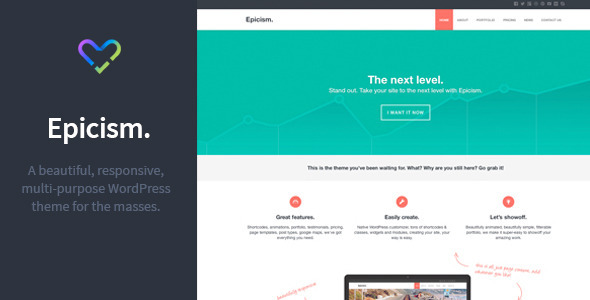
Epicism is a beautiful, responsive, multi-purpose Wordpress theme for the masses.

Key Features:

  • Future proof HTML5 / CSS3 code.
  • Fully Responsive.
  • Native Wordpress Customizer.
  • Parallax Content.
  • Beautiful CSS3 Animations.
  • Per page header & slogans.
  • WP menu system.
  • Custom 404 and Search pages.
  • Unlimited Accent Colors.
  • Homepage callto action.
  • Slider Module.
  • Portfolio Module.
  • Testimonials Module.
  • Social Module.
  • Page templates:
    • Portfolio.
    • Contact.
  • Post formats:
    • Standard.
    • Image.
    • Audio.
    • Video.
  • Widgetized sidebar.
  • Widgetized footer.
  • Backward compatibility for older browsers.
  • Automatic CSS combine & minify.
  • Sortable portfolio.
  • Lightbox gallery.
  • Built-in ajax contact form with validation.
  • Automatic text links.
  • Lots of built-in shortcodes and classes for easy styling.
  • Child Theme compatible.
  • Translation ready.
  • Sample XML data.
  • Comprehensive Documentation.

NOTE: Images in demo NOT included in download from Creattica. Copyright their respective owner.

CHANGELOG

26.6.15 - Update prettyPhoto.13.5.14 - Fixed CSS overflow bug.12.2.14 - Added LinkedIn icon option.12.2.14 - Removed deprecated PHP function.14.1.14 - Fixed a bug in the audio shortcode that broke multiple instances.2.12.13 - Added touch support for slider.25.11.13 - Initial Release.

High Fashion Responsive HTML Theme - Parallax

High Fashion Responsive HTML Theme - Parallax

Shopify Parallax

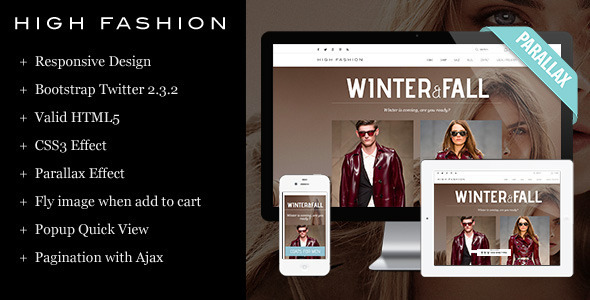
With an effective support from new feature, parallax, HTML Parallax is impressively beautiful. An elegant look is the reflection of a fine combination of background images and layout structure. Just perfect to be a face of online fashion stores.

In parallax features, every detail in this HTML theme is gorgeous, especially the new-styled slideshow. Two images per side, visitors can see more featured products which creation more interest or comparison and both beneficial to the shop. Besides that, visual effects, such as Zoom and Lightbox, make pages in this design become more alive.

HTML Parallax can do more than a beautiful look while it is responsive, CSS3/HTML5 supported and many other useful management features contained. Responsive feature allows this awesome design can be used all devices. Now, your fellow customers can shop your store in their PC, laptop, tablet, smart phone, just everywhere. No extra charge! Meanwhile, CSS3/HTML5 simplifies the use of video, without needing Flash or Silverlight. To make online store management easier for users, HTML Parallax contains Featured collections, Featured products, Social Media Icons and so on. And, to help customers have better time shopping in store, Quickshop, Dropdown Menu, Dropdown Login and Dropdown Cart are all available.

Everything you need, HTML Parallax!!!

Key Features

Follow us on Facebook Follow us on Youtube
Follow us on ThemeForest
Rate for us Submit a support ticket

Main Features:

  • Carousel
  • Featured Collections
  • Featured Products
  • Dropdown Menu
  • Dropdown Login
  • Dropdown Cart
  • Social Media Icons
  • Contact with Google Map
  • Newsletter
  • Zoom and LightBox image effect in product page
  • Quickshop
  • Pagination with ajax
  • Fly image when add to cart

Page Templates

  • Home page
  • Blog page
  • Article page
  • Collection page
  • Product page
  • Typography
  • Contact page
  • Cart page
  • Login page
  • Register page
  • Account page
  • Address page

Changelog

Version 1.0 - 2013-11-25:- Initial release

Checkout Parallax for other platforms:

Shopify Parallax

Look for different styles:

Check out our other templates.

Magento Gift ShopShopify HarmonyMagento Mr.HandsomeMagento Brand StoreMagento FashionistaMagento Go Market OpenCart DigiWorldOpenCart TopWearOpenCart GLMobilesOpenCart GoMarket PrestaShop BestChoicePrestaShop BoutiquesPrestaShop ActiwearPrestaShop Toy StorePrestaShop UrbanistaShopify HarmonyShopify ActiveWearWooCommerce RoeDokShopify WineYardShopify Instyle

Proton UI Responsive Admin Panel Theme

Proton UI Responsive Admin Panel Theme

Proton is a fully responsive mobile first Admin Tempalte based on Twitter Bootstrap 3.1.0. It features a highly flexible multi-column content structure built using the best HTML5 and CSS3 have to offer, while also staying compatible down to Internet Explorer 8.

Proton has a few easy ways to get started, each one appealing to a different skill level and use case. The fastest way is to use the the precompiled and minified version of our CSS, JavaScript, fonts and icons. From there, you can use the compiled HTML template to get started on building you own custom Admin panel.

Using LESS To Customize


All the original LESS files used for development are included for you to modify. Also available along with the predefined themes you can see in the demo is the theme-creator.less file. It contains a set of mixins to allow you to create your own custom color theme in just a minutes.

Built With Grunt


If you are working on a large project, requiring frequent changes to HTML, JS and LESS files, Proton also comes packed with a set of Grunt development tools to make your life easier.

If you are not familiar with Grunt you will still be able to make all the customizations you may need using the non-minified version, or the development version of Proton. The Grunt version simply gives more advanced developers a chance to greatly reduce their development time by utilizing simple automatic LESS compiler triggered on any change to the LESS files. And of course the live reload which gives you the benefit of not having to reload the browser(s) every time you make a change.

Proton was developed using Yeoman generator-webapp 0.4.2 which comes with Grunt 0.4.1. In addition to a wide range of tools that come out of the box with with generator-webapp, Proton also has the compile LESS files to CSS and include files and replace variables Grunt tasks in it’s Gruntfile.js configuration file.

If you want to know more about Yeoman and Grunt, we recommend these two links:

http://yeoman.io/

http://gruntjs.com/


Layout


Proton is a mobile first Admin Theme, and as such the base layout is aimed at providing a native app experience. The body element is fixed, non-scrollable. Only the elements with .scrollable class are scrollable, with no use of JavaScript scrolling plug-ins. This provides a app-like native elastic scrolling with best results on iOS and Android devices.

Dashboard Page


Dashboard Page features a Dashboard Menu, Sortable Quicklaunch Bar and Sortable Widget Area. All of which are customizable and responsive. Widgets can be flipped to the other (set up) side by hovering the widget and clicking the cog icon appearing in the right upper corner. In addition to being fully responsive, the Widget Area is also sortable. Widgets can be reordered via jQuery UI sortable plug-in.

Main Navigation Menu


Main Navigation Menu is a two level menu that slides in and out on mouseover, or on touch if viewed on touch devices. It is fully responsive and transforms to mobile version for XS screen sizes (by default this is defined at 480px).

User Navigation Menu


User Navigation Menu is a custimizable menu positioned at the upper right part of the screen. It is fully responsive and transforms to mobile version for XS screen sizes (by default this is defined at 480px).

Fonts and Icons


Proton uses a custom webfont Titillium Web and Font Awesome 3.2.1 ( http://fontawesome.io/ ) that powers all on-site icons.

Javascript plugins

CHANGELOG

Version 1.2 – Feb 3 2014


Version 1.1 – Dec 6 2013

  • New: Login Page
  • New: Image Gallery Uploader Page (with drag and drop support)
  • New: Calendar
  • New: Autotab Input Fields
  • New: Form Validation
  • New: File Input Field and Button
  • Enhancement: Dashboard Widget positions are now preserved in a cookie on every change. Note that each widget must have a unique id attribute for this feature to function. Also, only .proton-widget elements should be allowed inside the .widget-group section. We still recommend that you also save the positions on your backend in the actual app you are building. This way you will prevent sort-order loss in case the cookie gets deleted or expires after a year. The positions are available in proton.dashboard.widgetPositions array declared in dashboard.js
  • Enhancement: Dashboard Widget size can now be changed via LESS variables in widgets.less file (@widget-width, @widget-height, @widget-gutter). We created an example showing double-width widgets with smaller gutter here: http://proton.orangehilldev.com/example-widgets-larger.html
  • Enhancement: Sidebar now automatically retracts on medium and small screen sizes, giving more screen real estate to main content
  • Update: jQuery 2.0.3 (older browsers like IE 8 fall back to 1.10.2)
  • Update: Summernote text editor updated to v0.4.2, fixed font manipulation bugs in some browsers
  • Fixed: Chrome page rendering bug when using web fonts / icons on some windows systems
  • Fixed: Graphs not redrawing when expanding / retracting sidebar
  • Fixed: Minor tabs stacking problem on mobile devices
  • Fixed: Tooltip line height when there is more than one row of text